
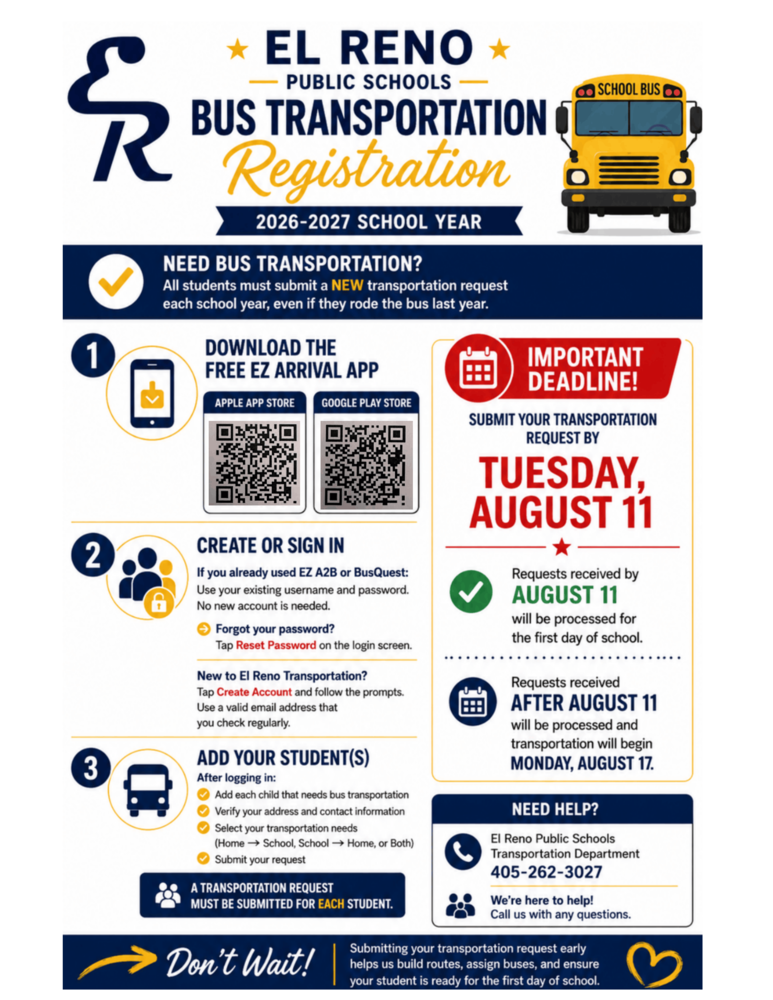
ERPS will be using a new bus tracking app called EZ Arrival. EZ Arrival replaces EZ A2B and gives you the same real-time bus tracking, delay notifications, and transportation updates you rely on, plus new features and improvements throughout the school year. Best of all, your existing account and settings will work automatically in EZ Arrival; no new registration or additional setup required!
The switch is simple — three easy steps:
1. Go to the Apple App Store or Google Play Store and search for “EZArrival”
2. Download the app (it’s free)
3. Log in with your current EZ A2B username and password That’s it.
Your existing login works in EZ Arrival — no new account, no re-registration, no extra steps. If your login is saved on your phone (in iCloud Keychain, Google Password Manager, or another password manager), you can use that saved username and password to log in to EZ Arrival.
If you’ve forgotten your password, simply tap “Reset Password” on the EZ Arrival login screen and follow the steps. It works the same way as the password reset in EZ A2B.
For questions, call 405-262-3027.